Industry
SaaS
FitTech
Services
UX/UI design
Mobile App Design
Landing Page Design
Website
ymove.appOverview
Ymove is an AI-powered platform that enables fitness coaches to launch fully branded iOS and Android apps without development expertise. The platform handles infrastructure: trainers focus on their programs and clients.
Two core product surfaces needed redesign: the default app screen templates shown to new trainers on sign-up, and the trainer-facing landing page template used to convert social media traffic into clients. Both directly affect whether a trainer successfully launches and whether their clients engage, making them critical to platform growth.
Challenges
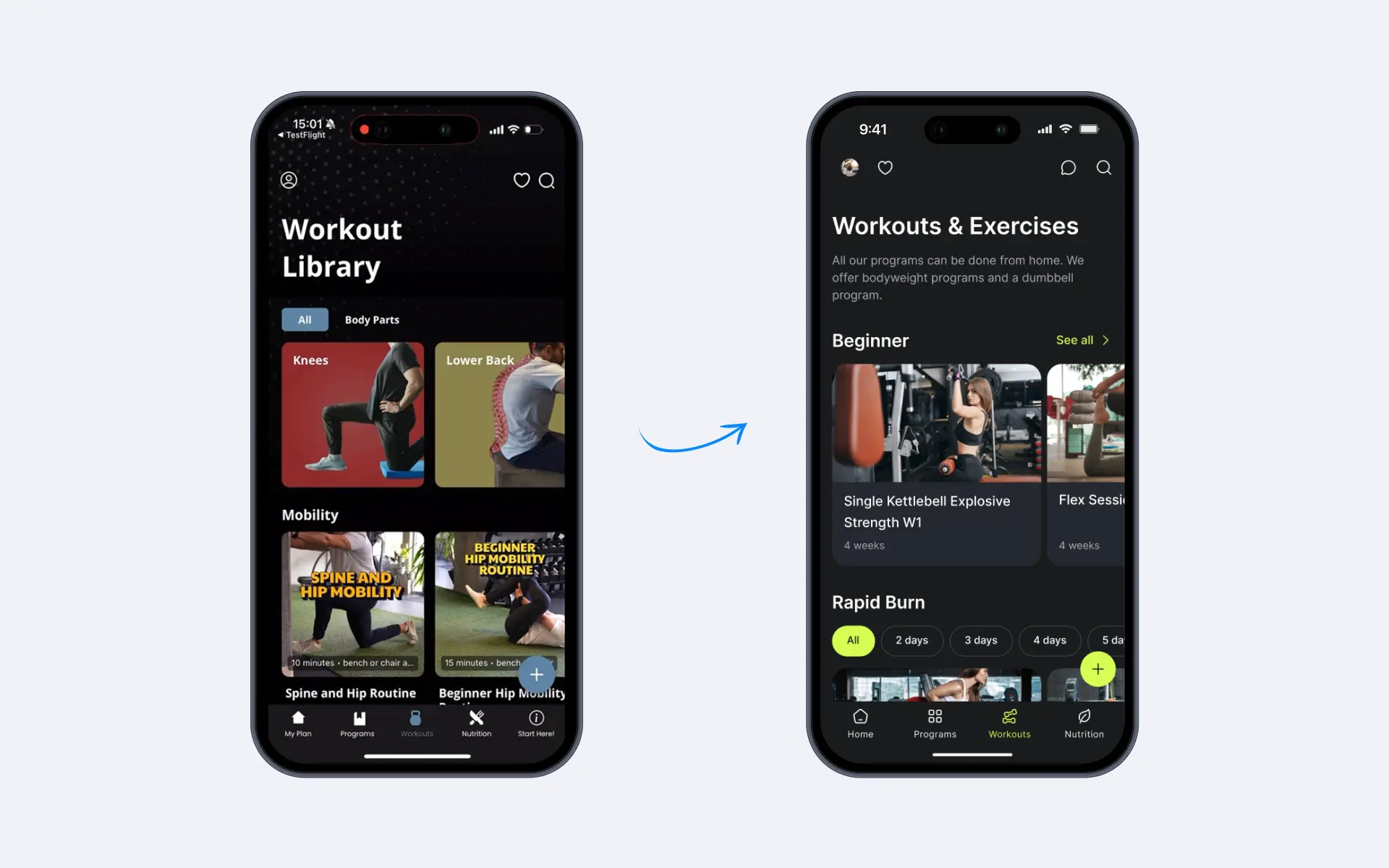
Default templates set the first impression for every app built on Ymove. The existing screens were generic, state-incomplete, and visually misaligned with the diversity of trainer brands on the platform.
On the app side, a single rigid layout served trainers across wildly different niches — strength, yoga, longevity, HIIT, with no meaningful differentiation.
On the landing page side, trainers acquire clients almost entirely through Instagram.
Solution
We structured the project into two parallel workstreams, both governed by a single principle: the output must look professional before the trainer has done any customization work.
The brief required two distinct deliverables:
Part 1 — App Screen Templates: Design V1 (dark theme) across all major screen types, covering every meaningful state a trainer's client might encounter. Deliver two light-theme variants alongside.
Part 2 — Trainer Landing Page: Redesign the landing page template for Desktop and Mobile. Layout must remain visually strong with imperfect, trainer-generated content and adapt to any single brand color.
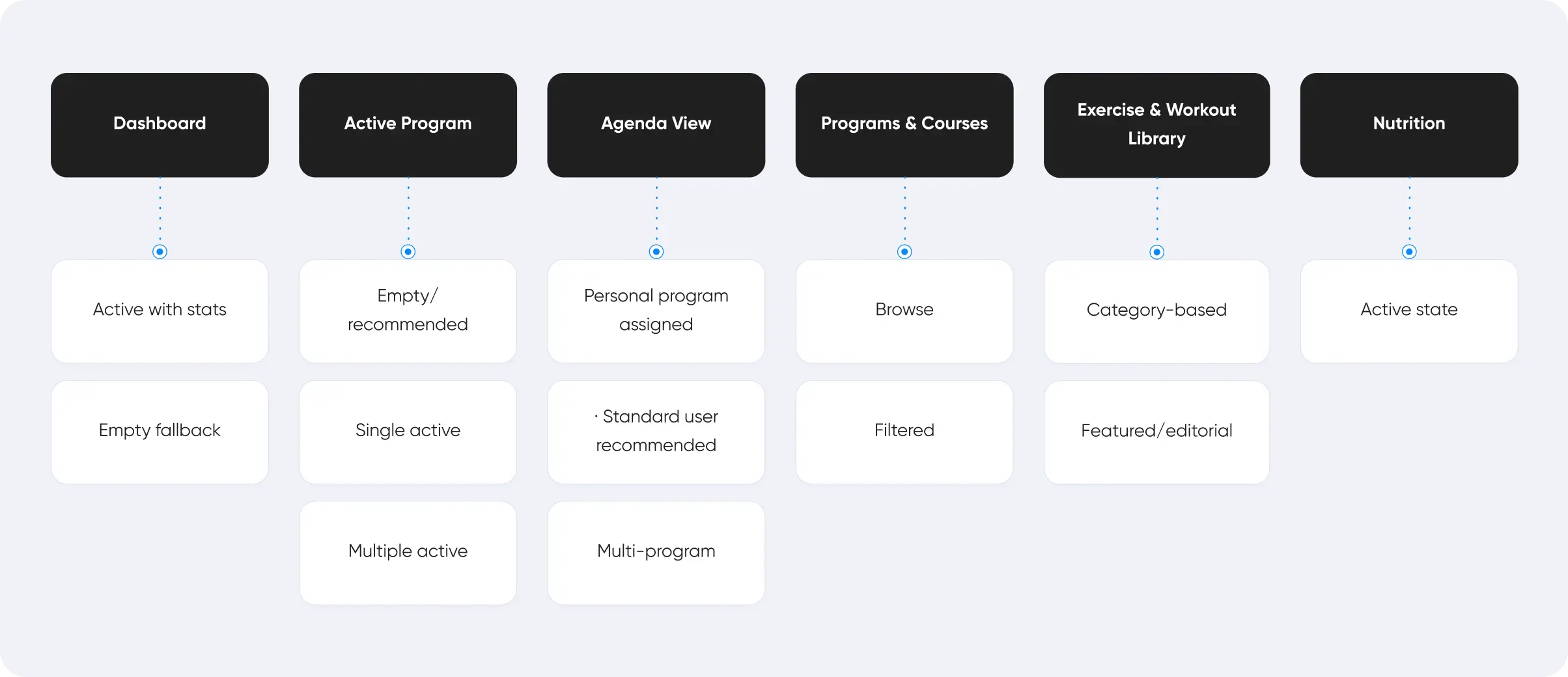
Before design began, we mapped the full screen surface of the product and identified all states requiring coverage.
For the landing page, we reviewed the trainer acquisition funnel — Instagram → landing page → sign-up — and identified the content variables we had to design around: low-quality photos, mixed aspect ratios, short or excessive copy, and a single brand color with no secondary palette.
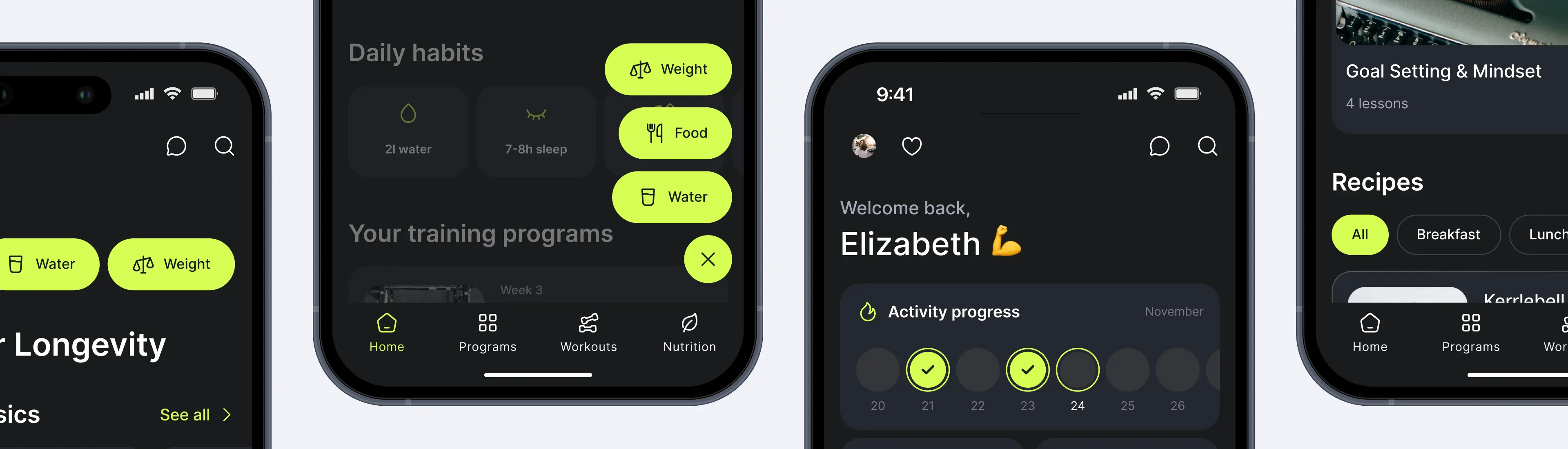
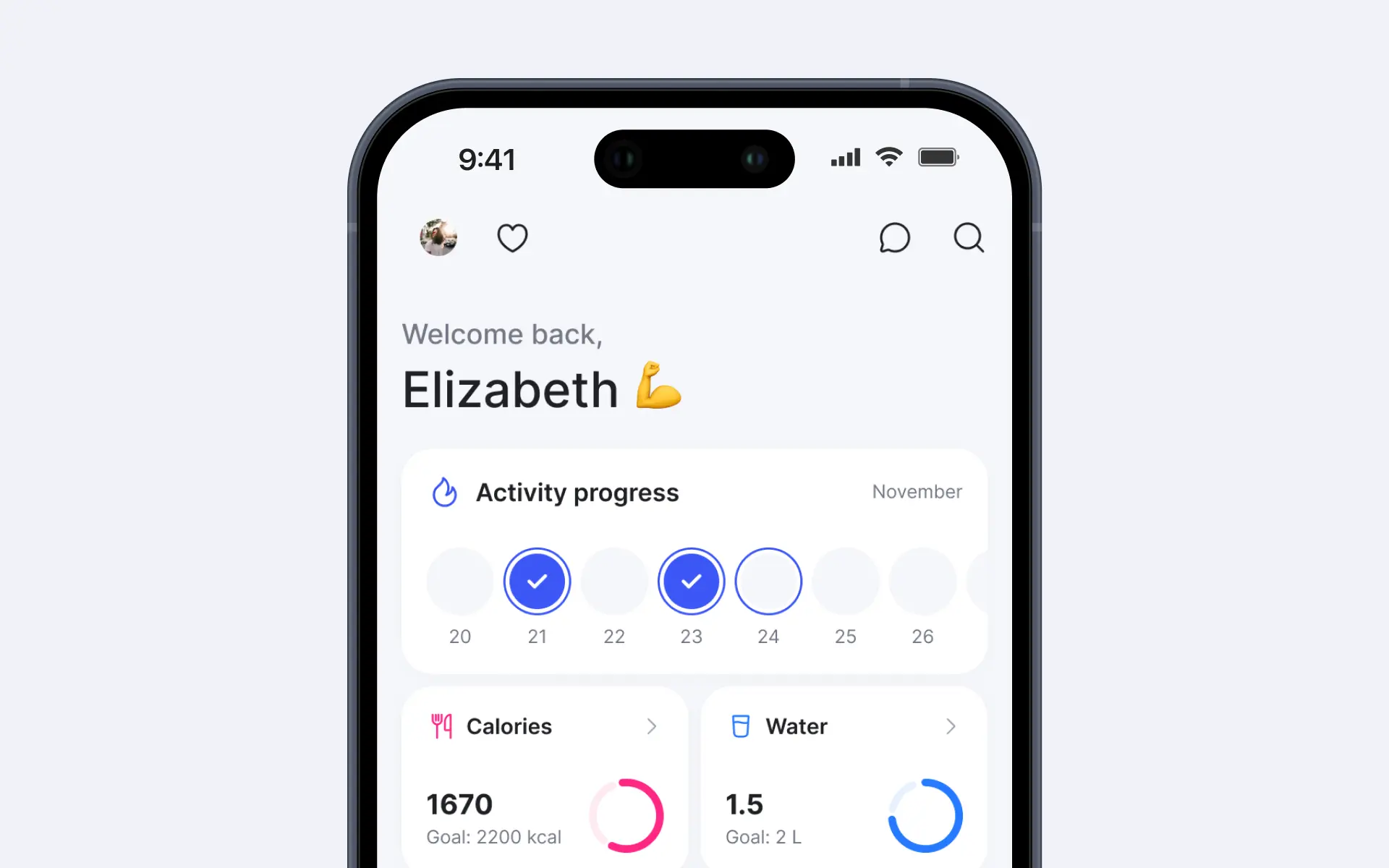
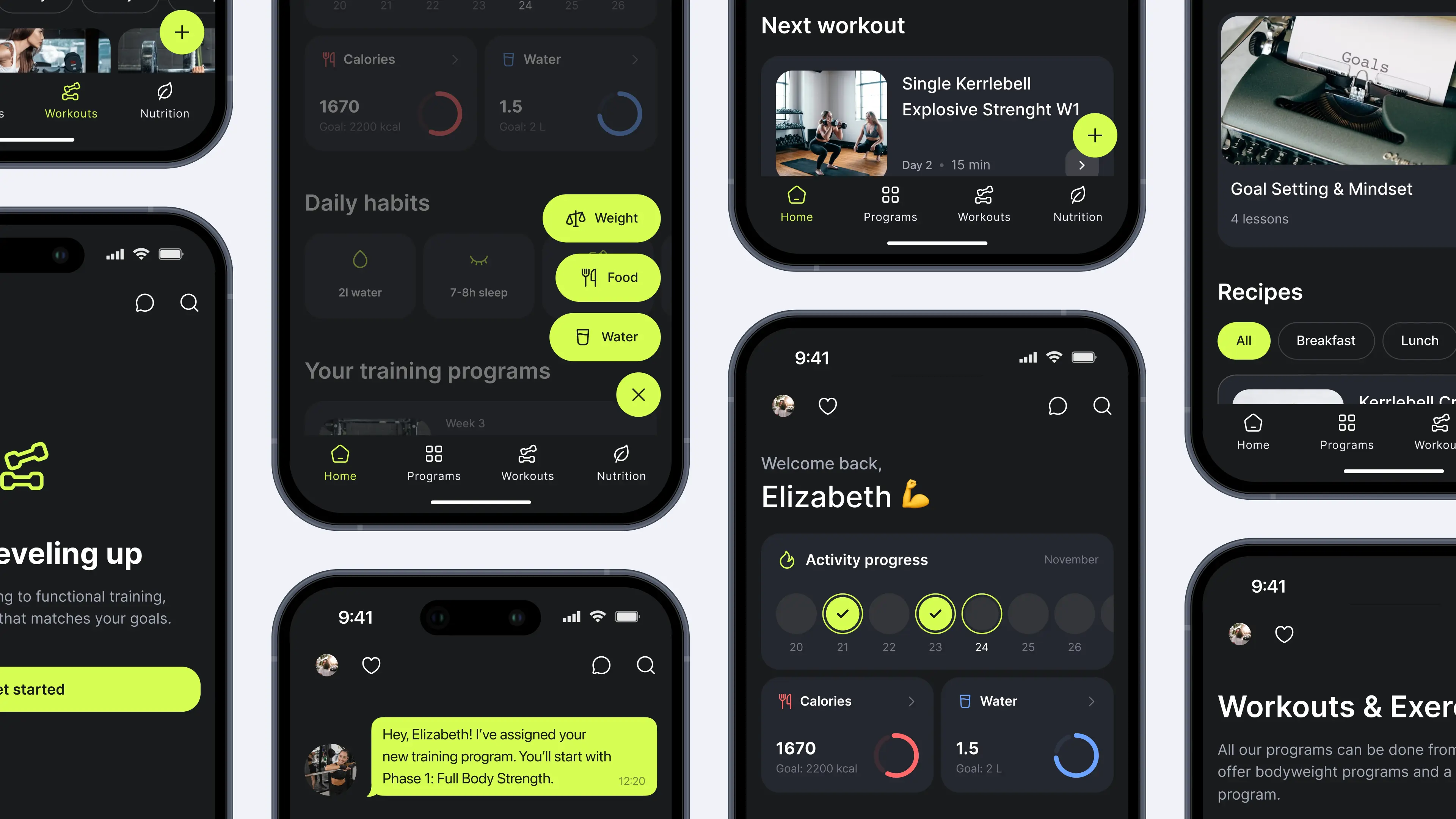
Activity block, not Assumptions. The dashboard stats block was renamed from 'Stats' to 'Activity' and rebuilt with a flexible fallback system. When a trainer does not offer nutrition tracking, the block surfaces Personal Records instead — Personal Record for Exercise 1, Personal Record for Exercise 2 — keeping the dashboard immediately relevant across training disciplines.
Context-aware empty states. Empty screens were redesigned as guided states. When a user has a personal program assigned, the agenda presents it directly: Your Training Program — [Coach Phase], framed conversationally, as if delivered by the coach. When a user is on a standard plan, the state surfaces smart recommendations: Recommended for you because of [reason] — reducing friction and driving program starts without requiring trainer input.
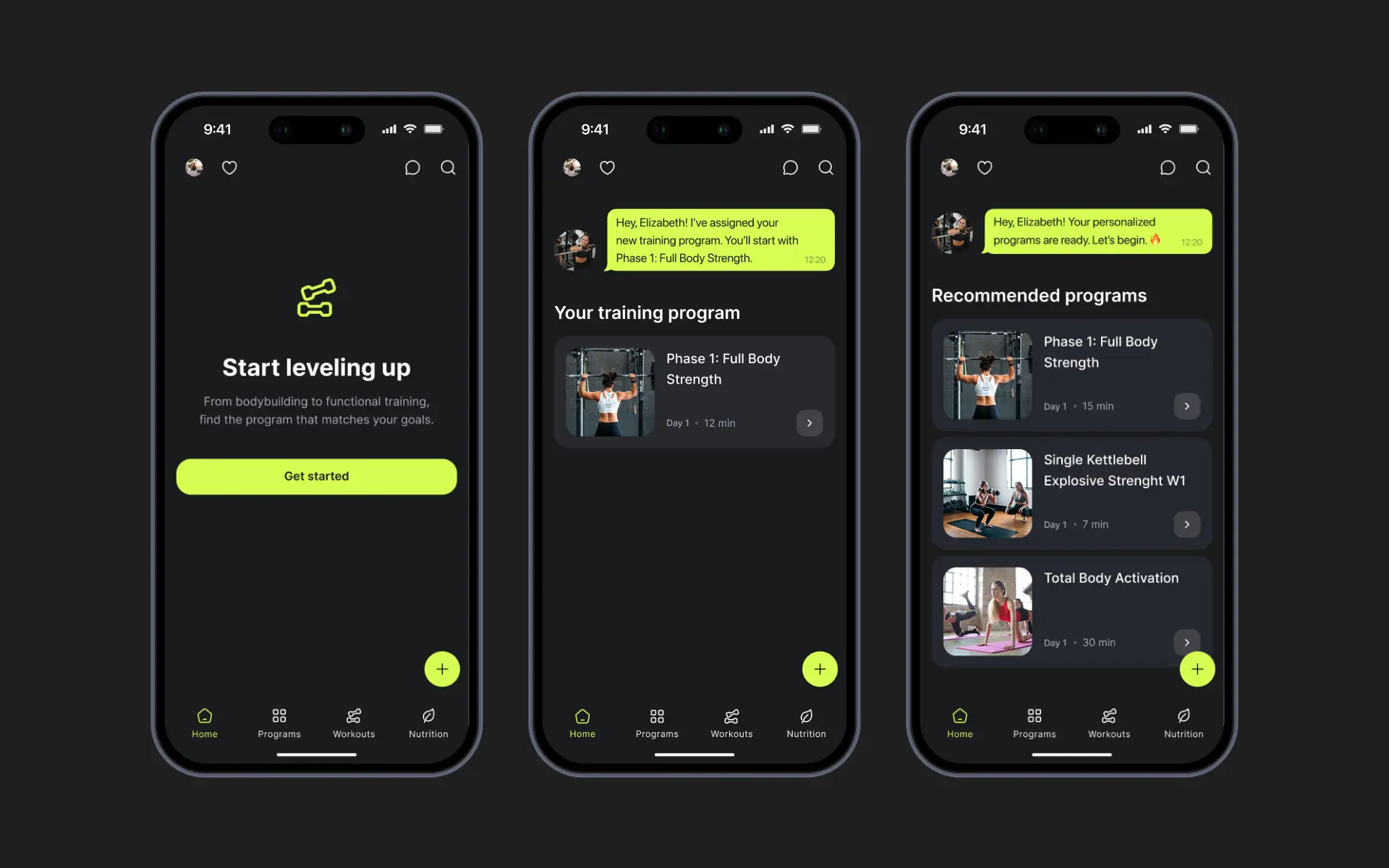
Program overview in dashboard. Program status and progress is surfaced directly within the dashboard view, removing a navigation step and giving users immediate orientation on arrival.
Navigation variants. Two tab bar directions were designed: a classic bottom tab (broad platform familiarity) and two header variants — with logo, and without — to accommodate trainers who lead with brand identity.
Theme variants. Alongside V1 dark theme: a mixed light-dark variant and a fully light variant, covering wellness, lifestyle, and yoga-oriented trainer audiences.
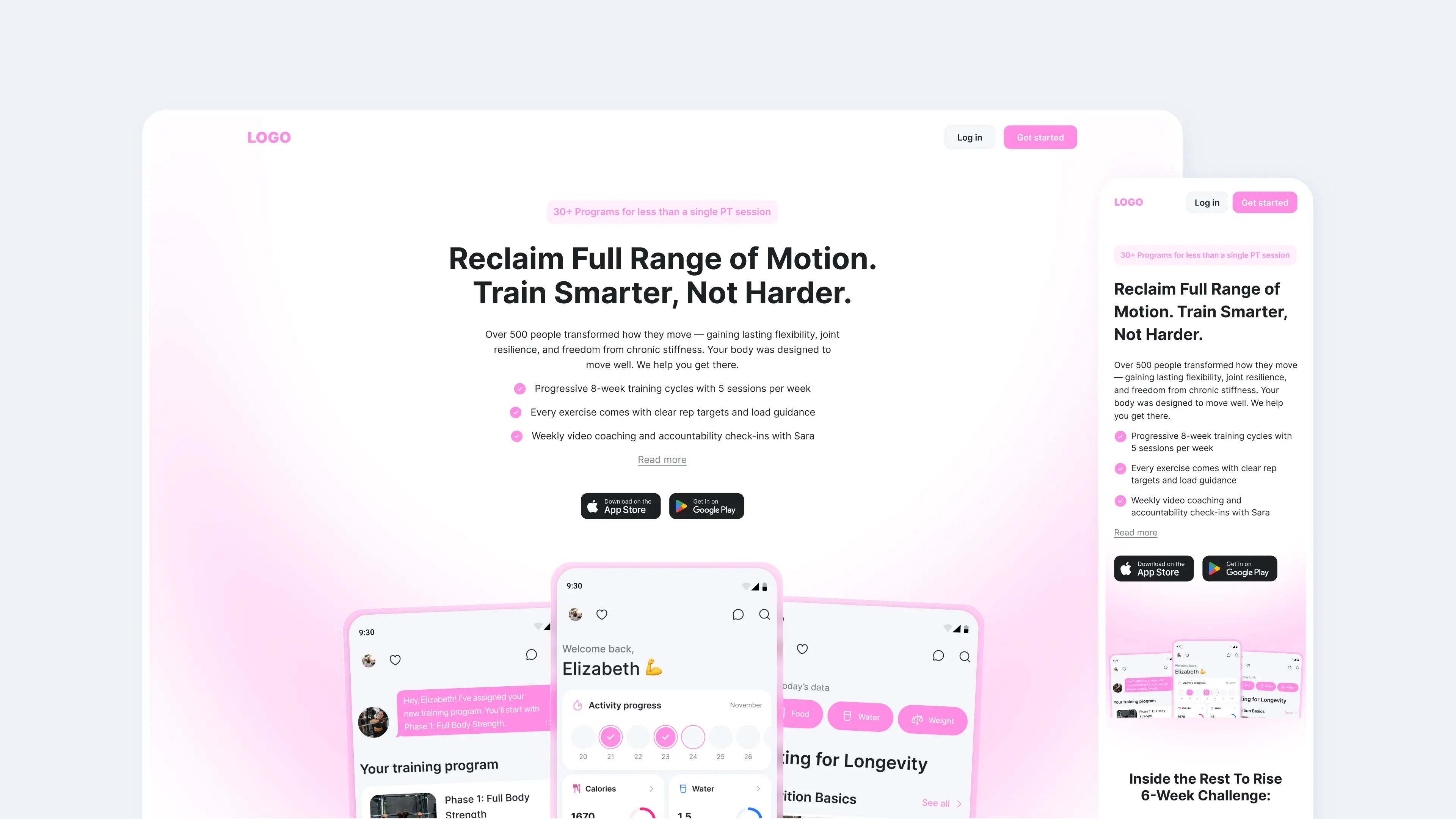
Designed for real content conditions. Every layout decision was tested against worst-case content: a three-sentence bio, a phone-quality hero photo, and a program card with a long title. The design holds across all of them.
Single brand-color system. With one trainer-defined color per landing page, we built a gradient and accent system that auto-generates depth and visual consistency without requiring a secondary palette. Buttons, accents, and the CTA section all derive from this single input.
Copy collapse logic. If the trainer bio or section copy exceeds a character threshold, it collapses automatically with a Read more control. Layout integrity is maintained regardless of how much or how little a trainer writes.
Header flexibility. Supports both black and white logo variants against the trainer's brand color — no manual adjustment required.
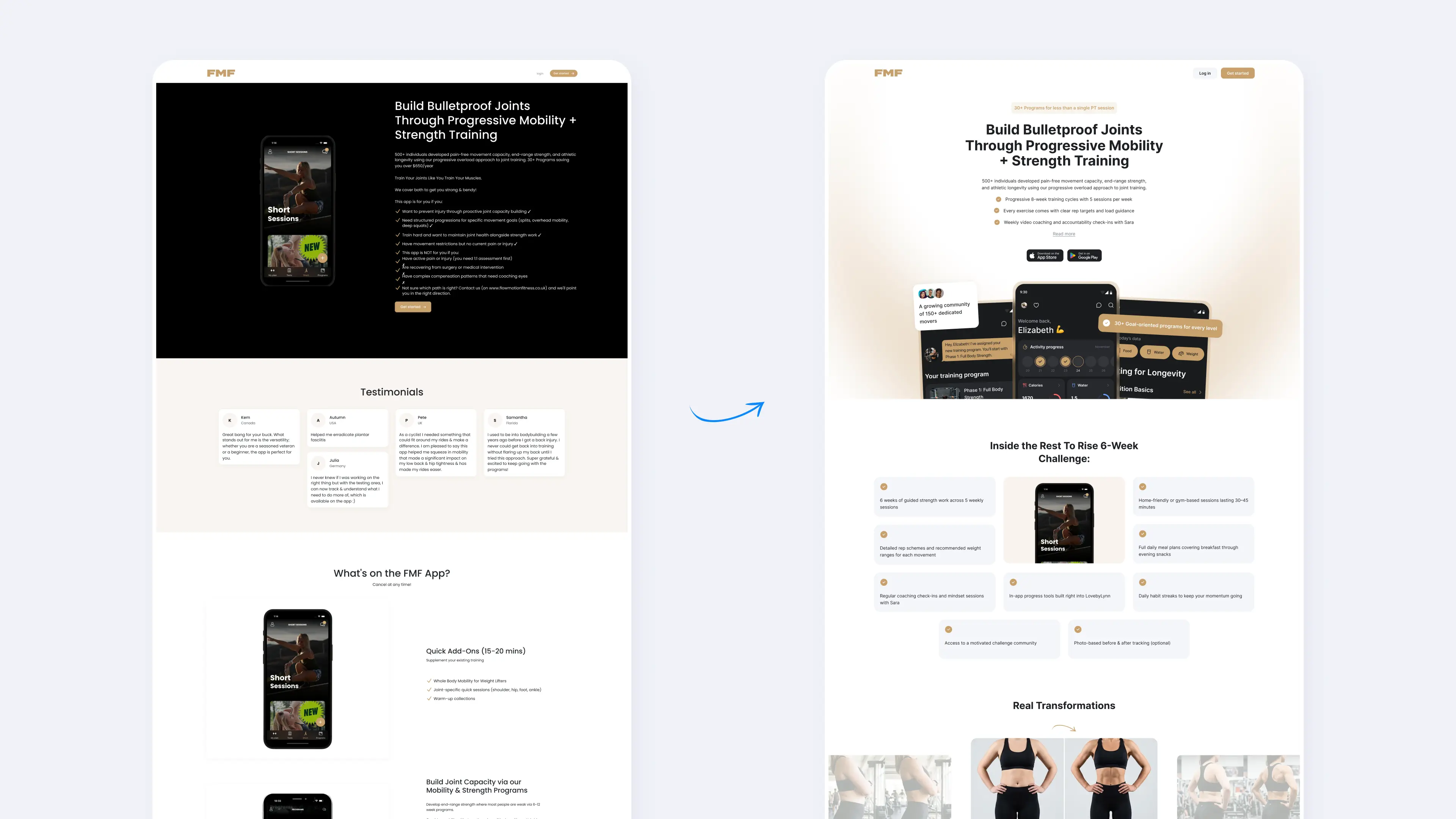
Page structure: Desktop + Mobile:
Hero: Trainer name · 3 headline bullets · 2–3 sentence bio (with collapse) · App Store / Play Store CTA or Get Started button · Three phone screens rendered side by side
Floating Feature Items: 3–5 trainer-defined features positioned alongside phone screens, auto-colored from brand palette
About the Trainer: Portrait or up to 5 avatar images · Short bio
Before / After Block: Side-by-side or carousel · Robust to unmatched image ratios
Programs Block: Card grid · Title · Duration · CTA per card
Video Block: Embedded player or thumbnail with play icon
Testimonials: Up to 5 avatar images with quotes · Horizontal scroll on mobile
CTA Section: Brand-color gradient · Single action
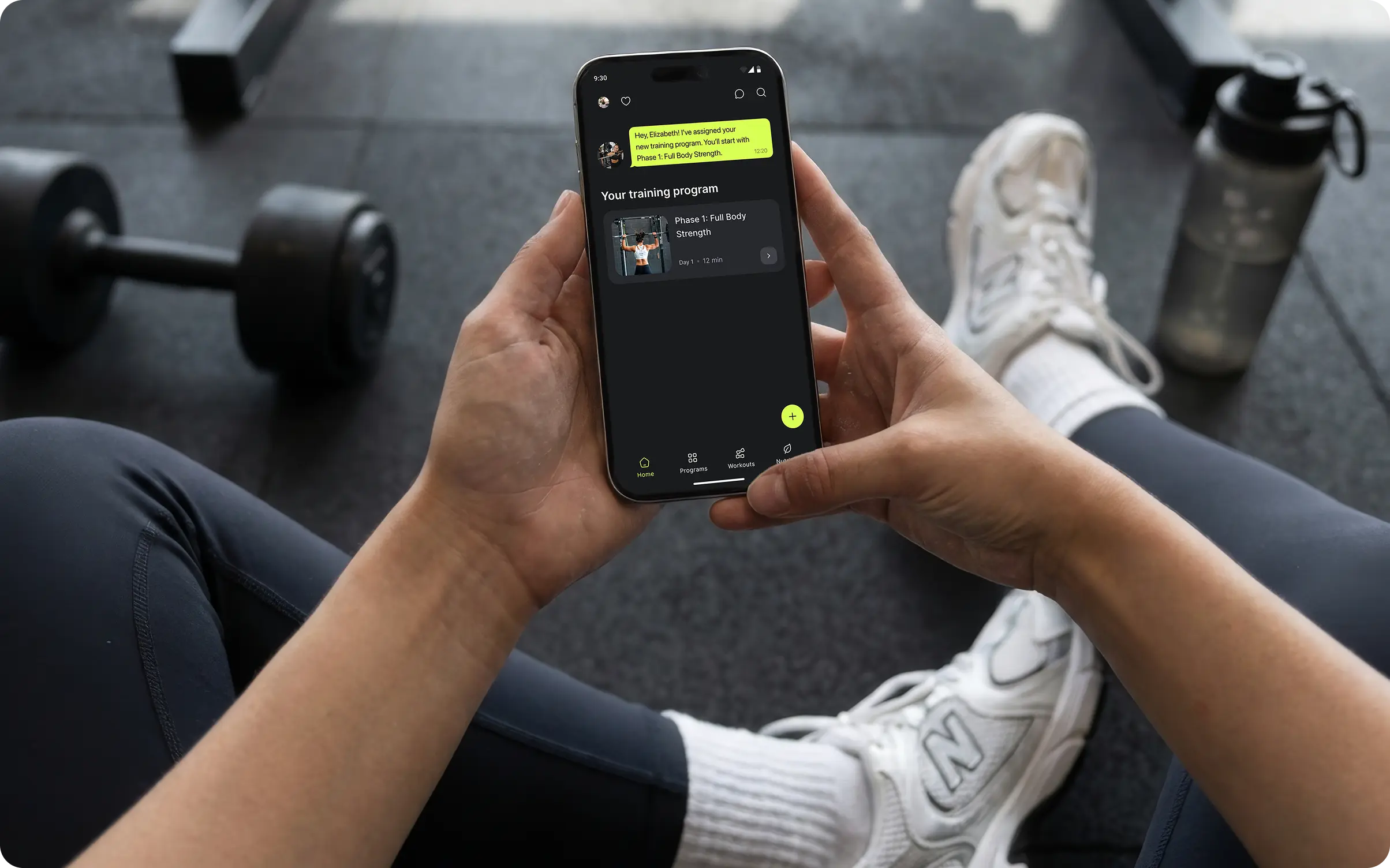
We designed a complete set of default templates that cover every step in the user journey in a trainer's client journey: from first login to active multi-program use. Each state is intentional: no dead ends, no assumptions about what a trainer offers.
We redesigned the trainer landing page to perform under the actual conditions trainers work in: one brand color, phone-quality photos, and copy written in five minutes between sessions. Desktop and mobile, eight blocks, fully adaptive.
Ymove's platform succeeds when trainers launch confidently, and their clients engage immediately. Both depend on first impressions, the platform controls, the default app template, and the landing page a trainer shares with their audience.
The redesign ensures that regardless of how much content a trainer uploads, how polished their photography is, or which niche they operate in, the output reflects professional quality from day one. Built with Toimi's product design and mobile development expertise.
The templates look professional from day one — our trainers can launch confidently without touching a single design setting.
Tosh Koevoets, CEO & Founder, Ymove