
Launching a website but lost in CMS options? Let's figure out which platform works best for you - just practical advice.
Key Takeaways 👌
Modern CMS lets you run a site without coding skills
Your site type and budget determine the best system
Popular platforms include all essential tools
What is CMS?
Running a site without CMS is like writing in Notepad instead of Word. Think of it as LEGO for websites - you just snap pieces together instead of coding. About 65% of sites use CMS today. The rest? Either simple landing pages or custom-built corporate systems.
To avoid outgrowing your CMS too quickly, many businesses extend their websites into full-scale service platforms — from dashboards to booking systems and customer portals. Structured online service development ensures the CMS becomes not just a page builder, but a scalable foundation for real business logic.
CMS choice is one of several technology stack decisions that shape your project's cost and scalability.
Interesting fact 👀
WordPress runs 40% of the web. Like Android - not the fanciest, but gets the job done.
Which CMS to choose
WordPress (40% of the market)
- Perfect for: Blogs, small stores, business websites
- Budget: $100 to $1,000 at the start
- Monthly Expenses: $10–50 for hosting and updates
- Learning Curve: 2–3 days for basic functions
- Fun Fact: The New York Times, Bloomberg, and BBC use WordPress for their blogs. Development costs for a large WordPress site can go up to $100,000
Drupal (2% of the market, but still a powerhouse)
- For: Large corporations, government agencies
- Budget: From $5,000 to start
- Monthly Expenses: $100–500 for support
- Learning Curve: At least a month
- Case Study: NASA and the U.S. government use Drupal for its security features. After that, many government agencies followed suit
Shopify (4% of the e-commerce market)
- Perfect for: E-commerce sites of all sizes
- Budget: $29–299 per month + transaction fees
- Launch Time: 1 day to 2 weeks
- 24/7 Support: Included in the price
- Real Stats: Stores on Shopify see an average of 25% increase in sales in the first three months. Built-in analytics also help track which products sell best and why

It's not about the brand name. A basic WordPress site that works beats a fancy Drupal setup that confuses everyone
How much does it cost?
Real numbers for 2025:
| CMS |
Initial Costs |
Monthly Costs |
Customization Costs |
| WordPress |
$500–2,000 |
$50–150 |
From $50/hr |
| Drupal |
$5,000–20,000 |
$200–1,000 |
From $100/hr |
| Shopify |
$100–1,000 |
$50–500 | From $70/hr |
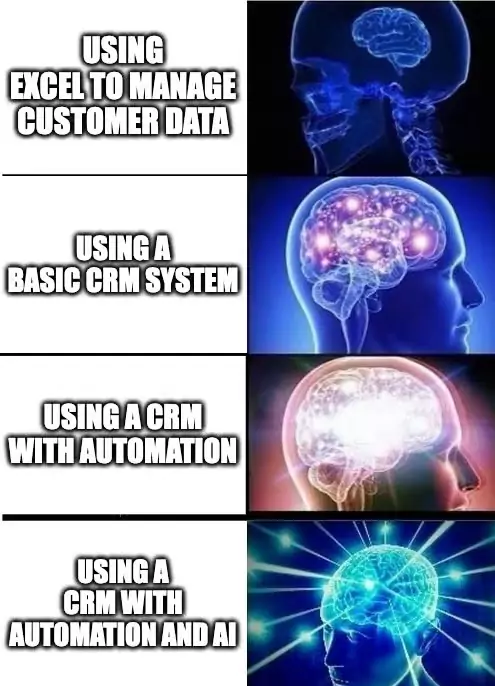
The long-term cost of a CMS often depends on how well it integrates into your internal workflows. When paired with a dedicated CRM system, the CMS can automate customer updates, sales tracking, and reporting — reducing manual work and lowering support expenses over time.
CMS isn't just a website engine - it's your business ecosystem. Miss this, and you're falling behind.
— Toby Lütke, Shopify founder
SEO and promotion: What works
Google has become smarter at evaluating websites, and your choice of CMS plays a significant role in your site’s search ranking.
WordPress remains the top choice – websites built on it get indexed 20% faster thanks to built-in optimization and powerful SEO plugins like Yoast.
Drupal requires more configuration but offers complete control over SEO parameters, which is valued by larger companies.
Shopify, on the other hand, is designed out-of-the-box for sales – it adjusts product tags, creates clean URLs, and works seamlessly with Google Shopping.
Fun fact: By 2025, Google has started favoring sites with quality mobile versions and fast loading times. Here, each CMS has its strengths: WordPress is flexible, Drupal excels at caching, and Shopify is built with a streamlined architecture.

Want to learn how to properly secure your website? Check out our article What is website technical support and how is it important for your business? for tips on protection from hacks and backup solutions
Trends
CMS platforms are no longer just engines for websites. Here are the major shifts:
Headless CMS – When content is separated from presentation:
One content source for both the website and app
Faster page loading
Easy scaling
Popularity grew by 300% in the last year
AI in CMS:
Automated content creation
Smart image optimization
User personalization
Visitor behavior analysis
When choosing a CMS for the future, it’s equally important to define your requirements clearly. A structured brand guideline helps unify content, visuals, and system logic so the CMS scales consistently across pages, languages, and teams.
Recommended to explore:
For those who want full control.
For quick e-commerce setup.
For serious, secure projects.
For simple sites.
Conclusion
A CMS isn’t a high-tech mystery; it’s just a tool. WordPress works well for beginners, Drupal is for geeks, and Shopify is for business owners. The key is not to chase trends, but to choose what works best for you.
Start with a simple project, see how you get along with your chosen system, and remember: you can always switch CMS later if your first choice doesn’t fit.
Artyom Dovgopol
Choosing the right CMS is like picking the right car – you don’t need to know what’s under the hood, as long as it’s easy to drive!