Industry
Energy
Utility Retail
Services
UX/UI design
Frontend Development
Backend Automation
Website
wrw.energyOverview
WRW Energy offers fixed-term natural gas pricing plans to Enbridge Ohio Gas customers. At the start of the project, the company operated a static HTML page with no signup flow, no plan comparison, and no conversion pathway — while relying entirely on intent-driven traffic from comparison platforms and referral partners. We were brought in to design and build a complete enrollment platform from scratch within a four-week timeline.
Challenges
The audience arrives ready to enroll, but the existing site offered no clear path forward. Enrollment requires sensitive utility data — like a 13-digit account number — that users rarely have at hand.
The challenge was clear: build a focused digital enrollment platform that converts incoming traffic into completed signups efficiently, compliantly, and without friction.
Solution
We redesigned wrw.energy as a single-purpose enrollment engine. The homepage opens directly with plan cards and pricing. The enrollment form uses field masks, real-time validation, and contextual invoice guidance to eliminate drop-off. On submission, the system auto-generates a PDF agreement, delivers it by email, and routes data to the provider — all backed by a lightweight admin panel the team manages independently.
WRW's audience arrives with a decision already forming. Any delay in surfacing plan options or creating unnecessary navigation layers directly erodes conversion. The homepage needed to function as step one of the funnel, not a brochure.
To enroll, customers must provide their 13-digit Enbridge account number and service address exactly as shown on their utility invoice, information most people don't have memorized. Without guidance at this precise moment, drop-off is predictable and significant.
A natural gas agreement isn't an impulse purchase. The interface had to communicate legitimacy, professionalism, and compliance, without overloading the page with legal copy, promotional claims, or unnecessary content. Trust had to come from structure, not persuasion.
WRW had no existing CMS or technical infrastructure. The system needed a lightweight admin panel for managing plan pricing, automated PDF generation for enrollment agreements, and reliable email delivery: all without complex integrations or ongoing technical overhead.
Enrollment doesn't end at form submission. Every signed customer requires a formal agreement, one that must be generated by the supplier and reviewed and accepted by the user. Managing this document lifecycle, from automated generation to user-facing delivery and confirmation, introduced a layer of operational complexity that had to be built directly into the platform.
We redesigned wrw.energy from the ground up as a single-purpose enrollment engine. Every design and development decision flowed from one principle: make plan selection immediate and enrollment frictionless.
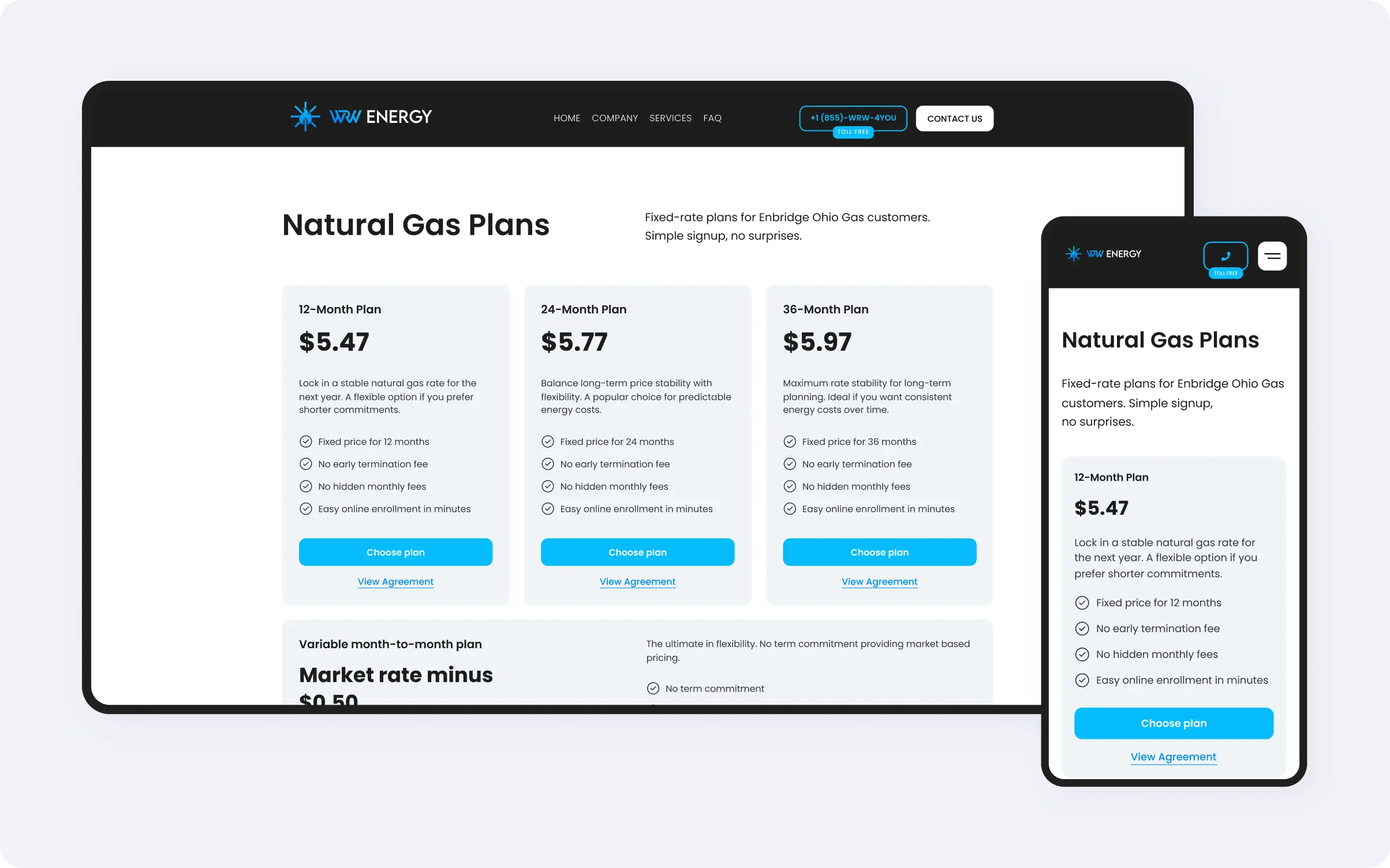
Rather than building a conventional multi-section homepage, we designed the above-the-fold experience around direct action.
The positioning statement, an eligibility qualifier ("For Enbridge Ohio Gas customers"), and four plan cards are visible the moment the page loads. The user's first interaction is a choice, not a journey through content.
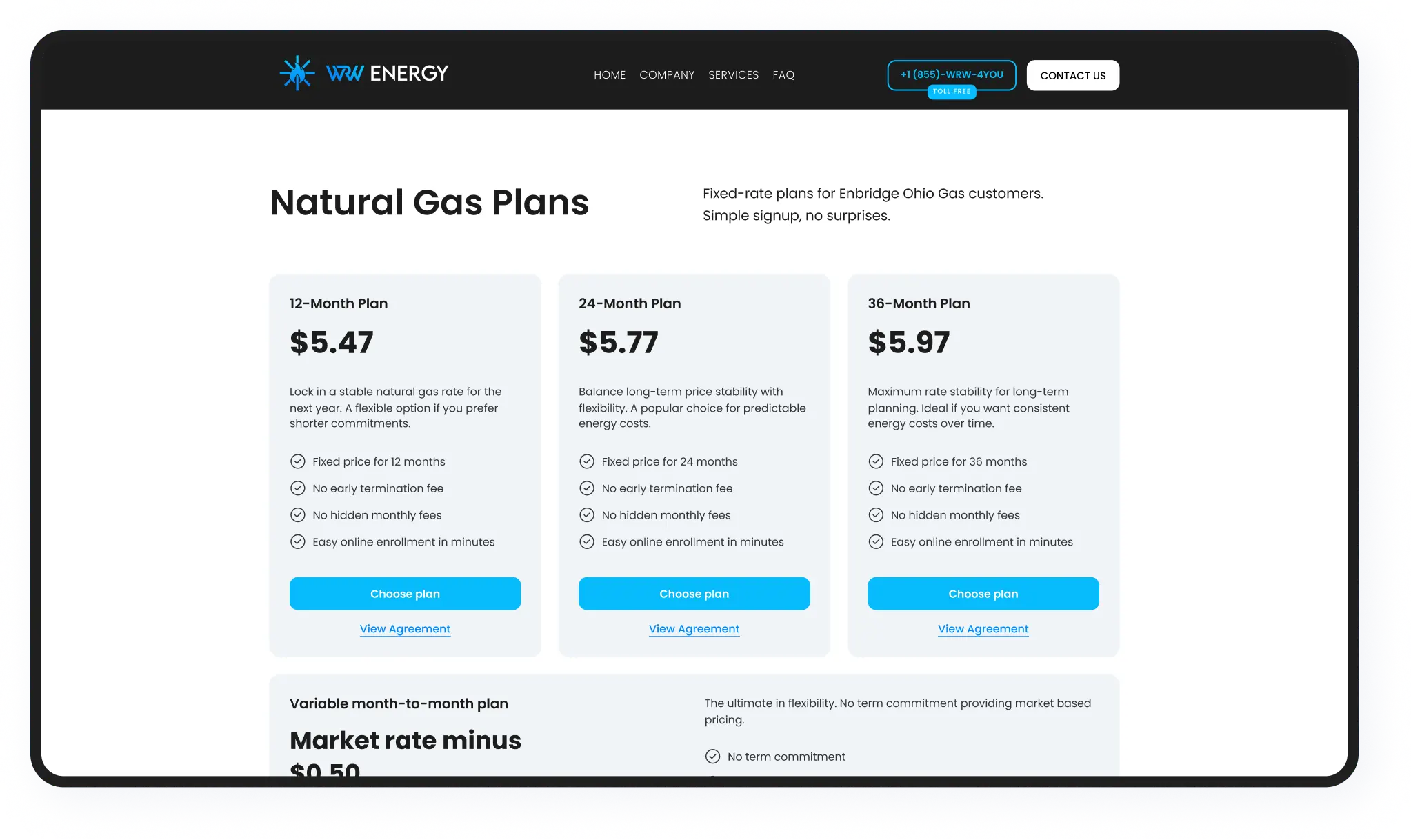
Each of the four plan cards: 12-month, 24-month, 36-month, and month-to-month, displays its term duration, current rate, and a direct enrollment button. A "View Agreement" link on each card opens the full service terms as a PDF in a new tab, ensuring compliance is accessible before any commitment is made.
The layout is visually balanced and fully responsive, stacking cleanly on mobile without losing hierarchy.
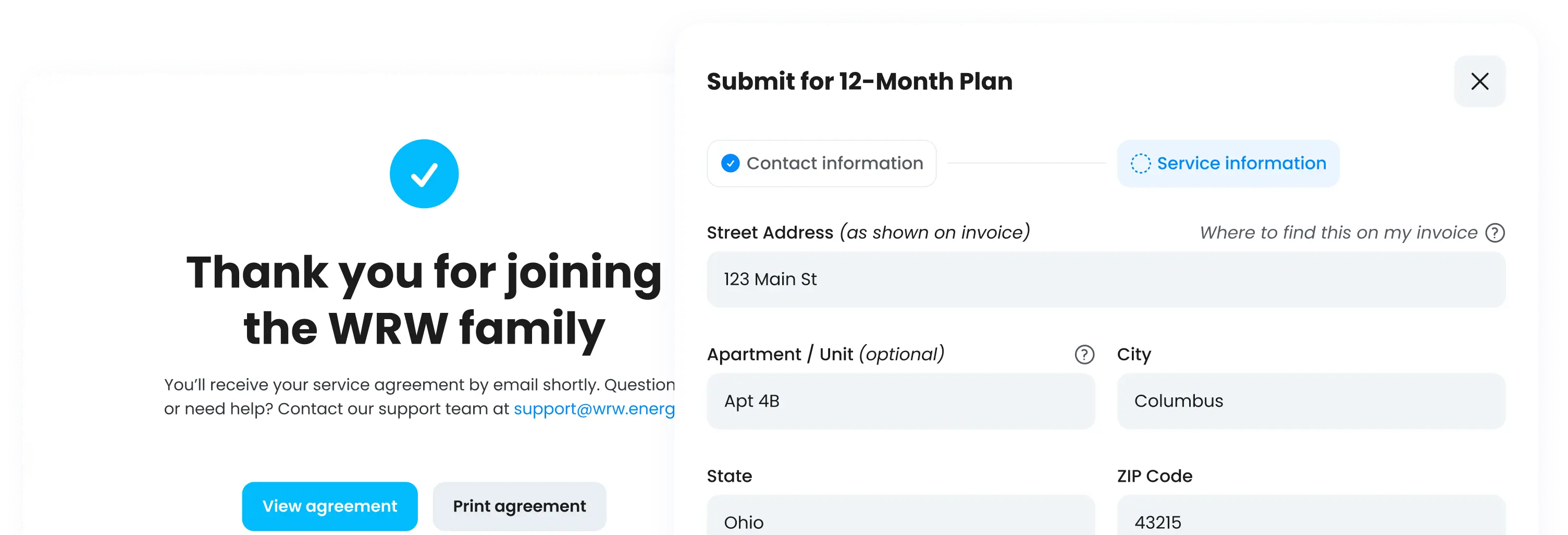
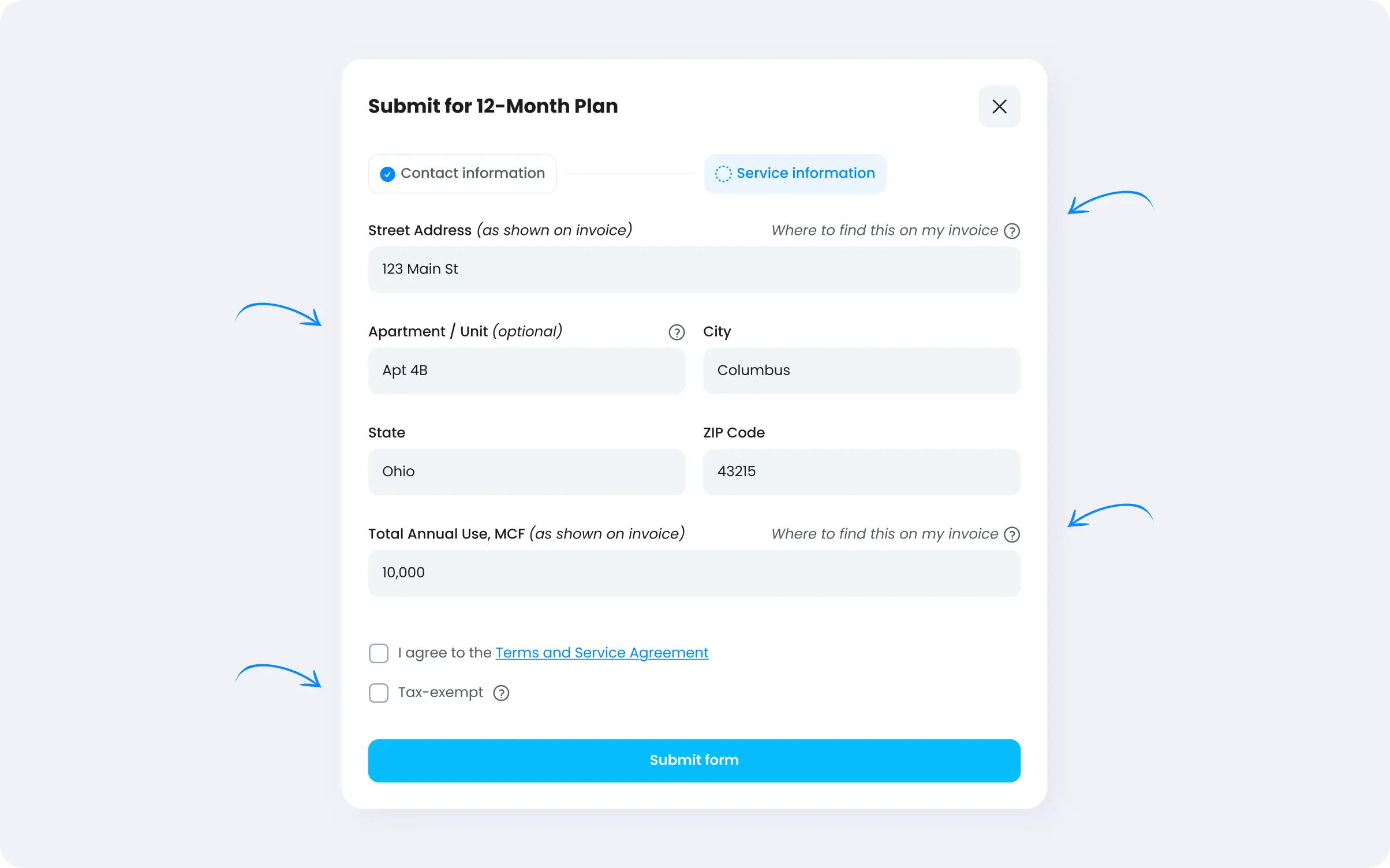
After selecting a plan, the user moves into a structured enrollment form. Every field present is operationally necessary.
An optional Tax Exempt field adjusts the downstream CSV format sent to the software provider. Its tooltip, triggered by a "?" icon, explains the field plainly: "If you are tax-exempt, please enter the percentage you are exempt."
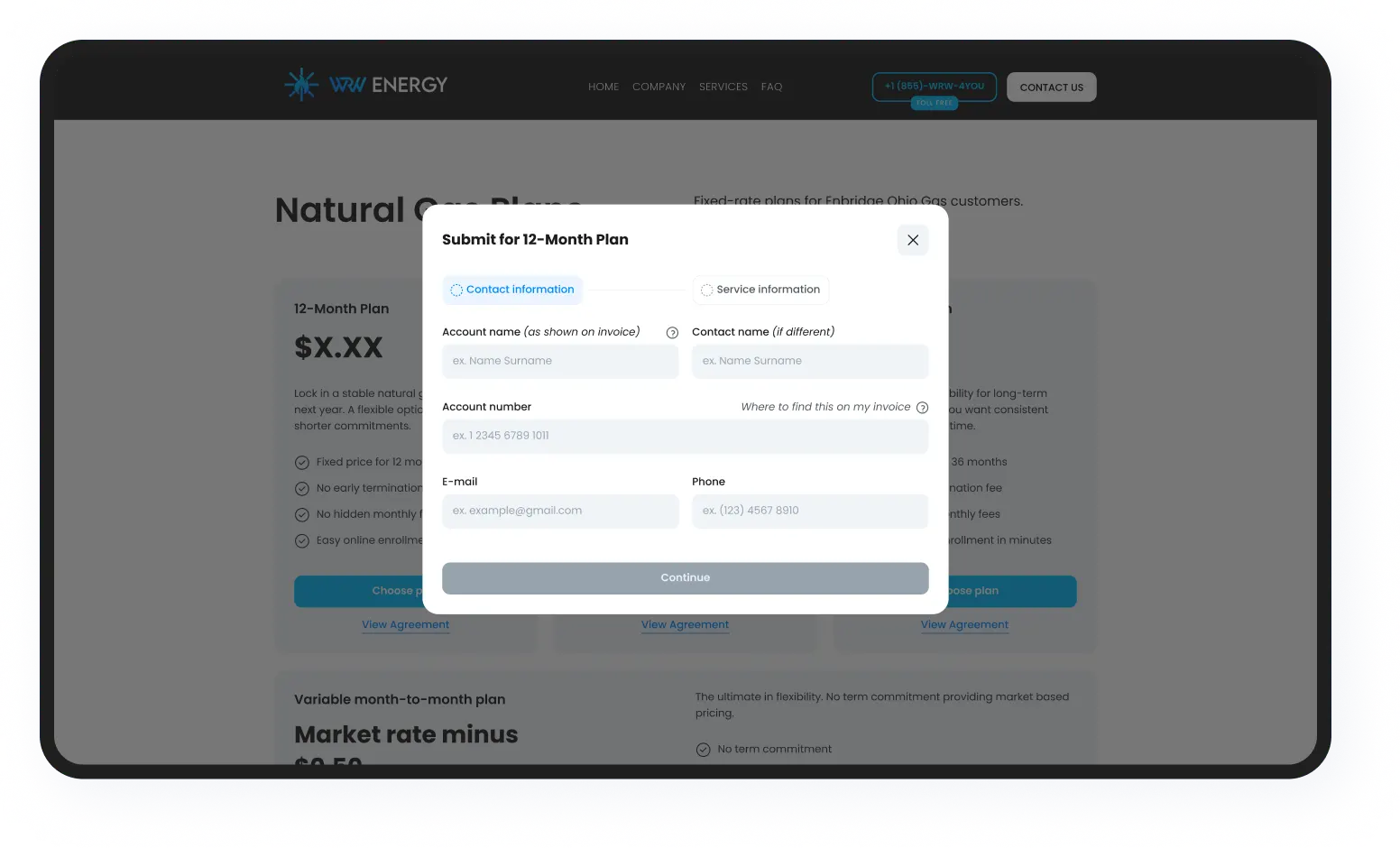
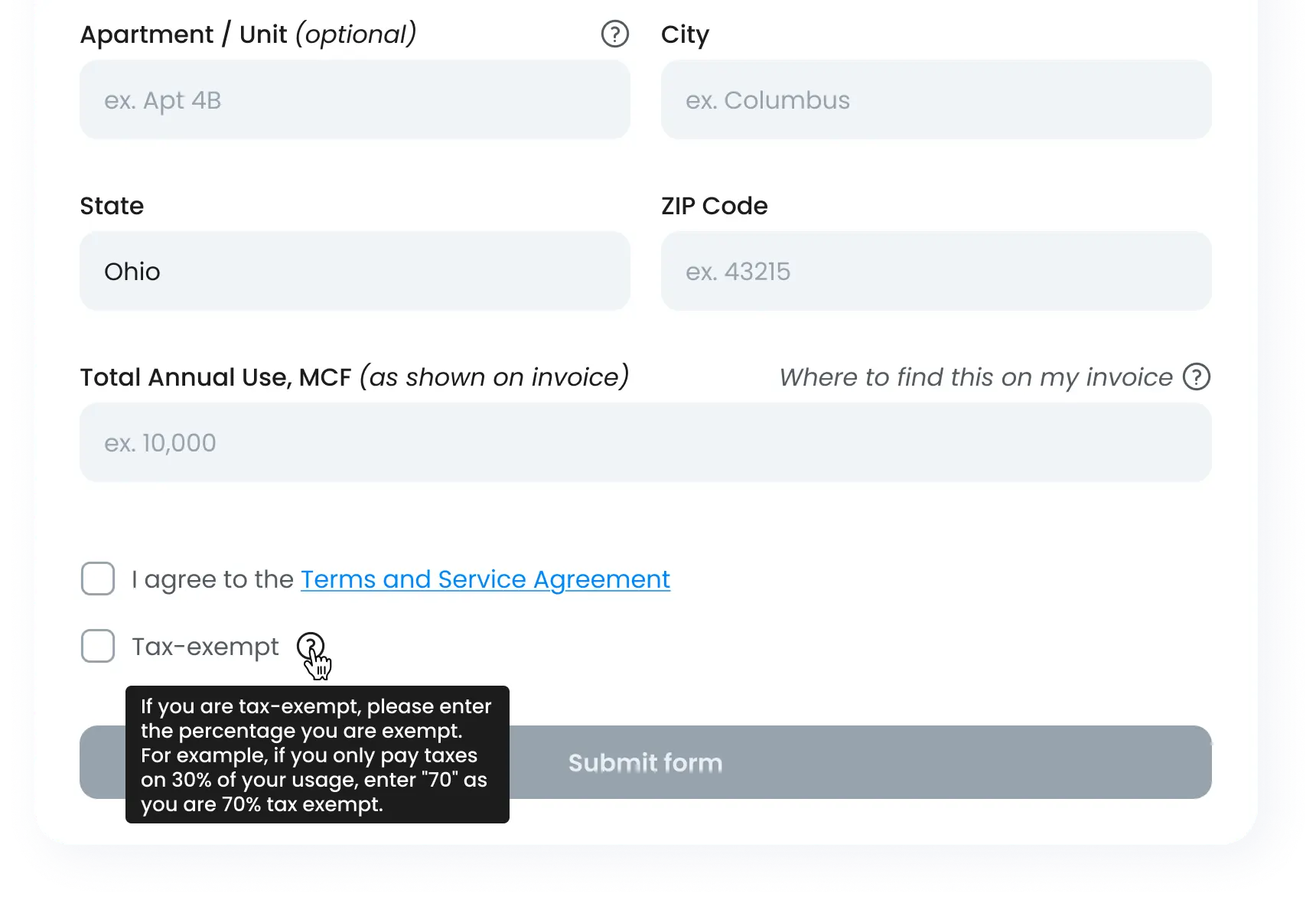
Four fields: Account Name, Account Number, Street Address, and Total Annual Use, each carry a "?" button that opens a modal showing an annotated Enbridge invoice screenshot, with the relevant field highlighted.
This feature addresses the single highest drop-off risk in the flow: a user unsure where to find their utility data. Rather than redirecting them to an FAQ or a help section, the answer appears exactly where the question arises.
On submission, the system generates a completed PDF agreement, populated with the user's enrollment data. The document fields are mapped precisely: account name, service address, selected term, applicable rate, and calculated start and end periods.
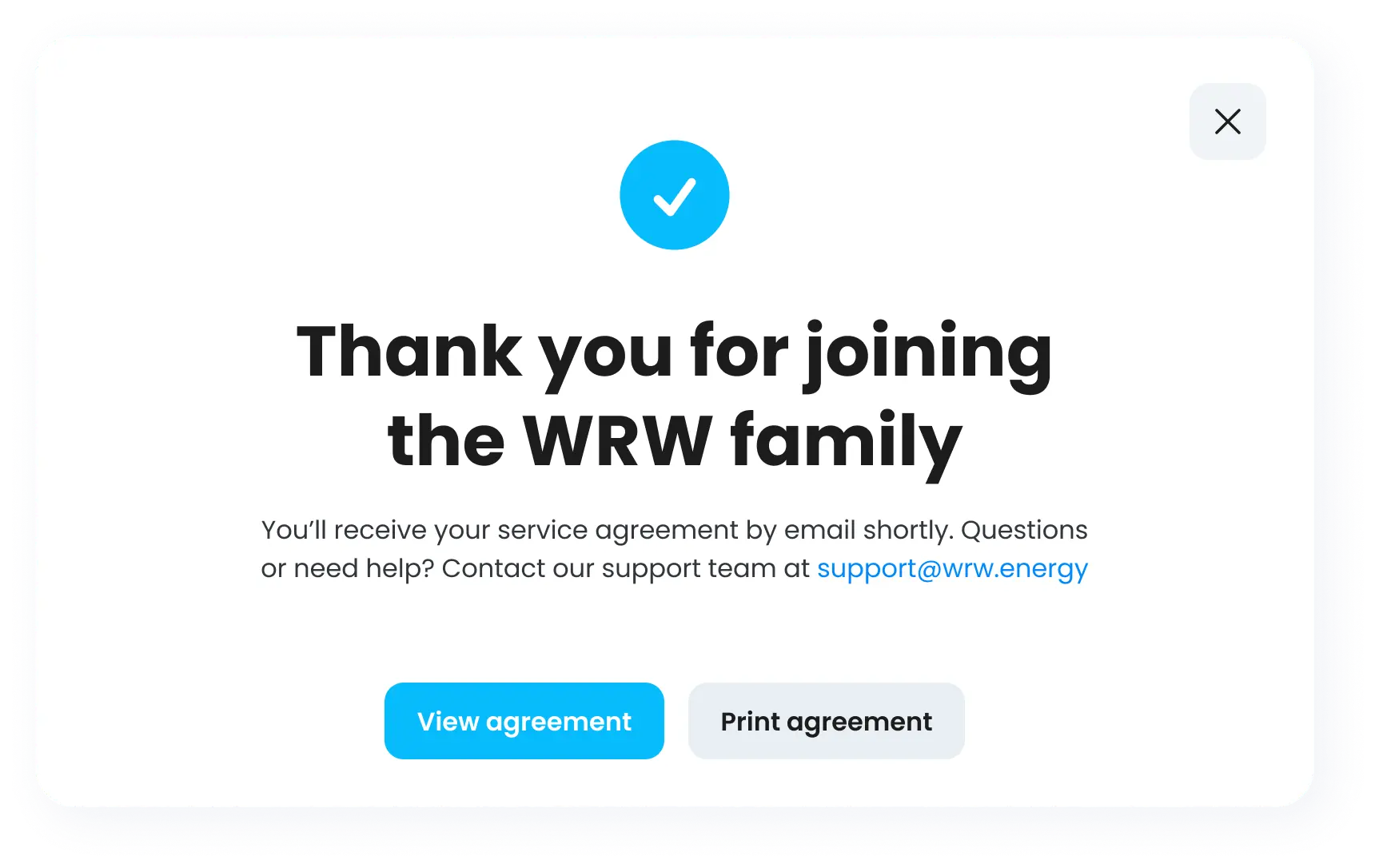
The start period logic accounts for a buffer of at least one month out, advancing an additional month when the signup occurs on or after the 10th, ensuring no agreement is generated with an impossible or operationally incorrect start date. Month-to-month agreements populate the end period as "effective until cancelled by either party."
The completed agreement is delivered instantly to the customer by email, with WRW's internal team addresses in CC. The email is plain, professional, and purposeful: no upsells, no marketing copy.
We built a minimal internal admin panel: a credential-protected login, a single interface displaying the four plan rate fields, a Save button, and a Logout. The WRW team can update pricing independently, at any time, without developer involvement.
Before any wireframing began, we mapped the complete user journey end-to-end: referral source → homepage → plan selection → enrollment form → automated processing → confirmation. Against that map, we identified the precise moments where drop-off was likely, eligibility uncertainty, invoice data confusion, form hesitation, and unclear next steps after submission.
Each identified risk became a design decision. The invoice guidance modals, the field masks, the pre-filled State field, and the locked Submit button are not decorative. They are responses to specific failure points in the enrollment path.
WRW Energy went from a placeholder website to a structured, operational enrollment platform. The final product centers around plan selection, eliminates friction at every identified drop-off point, guides users through sensitive data entry at the moment they need it, and handles the full post-submission workflow, PDF generation, data routing, and email delivery automatically.
The site now does exactly what the business model requires: it receives intent-driven traffic and converts it into completed enrollments, simply and reliably.
Every design decision mapped directly to a conversion risk we identified in the enrollment path.
Artyom Dovgopol, a developer and team lead