
You've Googled "WordPress developer Austin" and now face 200+ results — agencies quoting $3,000, freelancers quoting $30,000, everyone claiming they're the best. Here are six criteria to evaluate any developer before you sign, so you hire correctly the first time.
Key takeaways 👌
Technical depth separates professionals from hobbyists — ask about modern WordPress architecture, security practices, and performance optimization, not just "do you know WordPress."
Process predicts outcomes more reliably than portfolio size — structured discovery, staging environments, and defined QA phases deliver results that improvised workflows never do.
Post-launch support is where most developer relationships fail — WordPress requires monthly maintenance, and any developer who doesn't offer it is planning to disappear after launch.
Introduction
Most Austin businesses hire their WordPress developer the wrong way: they compare portfolios, pick the one with the best-looking sites, and sign before asking a single technical question. Six months later they're staring at a site that loads in five seconds, breaks on mobile, and has already been compromised once.
Here's the problem: choosing the wrong WordPress developer doesn't just waste money. It creates a site that costs more to fix than it would have cost to build correctly the first time. The cheapest WordPress developer is almost never the cheapest option — not when you factor in the cost of fixing the mistakes.
This guide gives you six concrete criteria to evaluate any WordPress developer in Austin — whether they're a solo freelancer in East Austin or a 40-person agency downtown — so you hire the right partner the first time.
Why Choosing a WordPress Developer in Austin Requires Extra Diligence
Austin's Developer Market Is Saturated — and Uneven
Austin's tech boom has flooded the market with developers. Clutch alone lists 150+ web development firms in Austin. Add freelancers from Upwork and local networking groups, and you're evaluating hundreds of options. The challenge isn't finding a WordPress developer in Austin — it's finding one who understands three things simultaneously.
First: modern WordPress. Gutenberg blocks, Full Site Editing, headless WordPress, and block-based theme architecture are not optional knowledge in 2026 — they're the current standard. A developer still building exclusively with page builders like Elementor or Divi on every project is working with yesterday's tools.
Second: Austin's business landscape. Local SEO requirements, industry-specific compliance, and the competitive dynamics of a city where your competitor just raised $20M shape what a successful website needs to do — not just look like.
Third: performance standards that match the market. Austin users are tech-savvy. A four-second load time that might pass without comment in smaller markets will cost you business here.
The Real Cost of Getting It Wrong
A poorly built WordPress site doesn't fail at launch — it fails over time. Security breaches cost $3,500–$8,000 to remediate. Mobile responsiveness failures run $4,000–$12,000 to fix properly. Speed optimization on a site built without performance in mind costs $2,500–$6,000. A complete rebuild ranges from $15,000–$35,000. SEO damage from poor architecture accumulates $5,000–$15,000 in lost organic value over three to six months.
The developer who quoted $3,000 less upfront typically costs $14,000 more by the time the site is rebuilt correctly. That arithmetic is consistent across the market.
Criterion 1 — Technical Depth: Not Just "I Know WordPress"
Why Modern WordPress Knowledge Separates Strong Candidates
Every WordPress developer claims WordPress expertise. The difference between a $5,000 site that works and a $5,000 site that breaks is technical depth — specifically, whether the developer understands how WordPress actually works in 2026, not how it worked in 2018.
Core technical skills that are non-negotiable: PHP 8.x proficiency, modern JavaScript including React-based Gutenberg development, HTML5/CSS3/responsive design, MySQL database management, REST API and WP-CLI experience, and Git version control.
Modern WordPress knowledge that differentiates strong candidates from adequate ones: block-based theme development, Full Site Editing (FSE), custom Gutenberg block creation, headless WordPress with Next.js or Gatsby, and WordPress Multisite architecture.
Questions That Reveal Technical Depth
"Walk me through your approach to building a custom WordPress theme in 2026."
Strong answer: mentions block themes, theme.json configuration, custom blocks, and performance considerations from the start.
Red flag: they only talk about Elementor or Divi — page builders are tools, not a development approach.
"How do you handle WordPress security?"
Strong answer: server-level hardening, plugin auditing, file permissions, security headers, automated scanning, SSL/TLS configuration, and login protection — layered defenses, not a single plugin.
Red flag: "We install Wordfence." One plugin is not a security strategy.
"What's your approach to page speed?"
Strong answer: WebP/AVIF image formats, CDN implementation, caching layers, critical CSS, lazy loading, and database optimization — a system, not a setting.
Red flag: "WordPress is fast enough" or "We use a caching plugin."
Red Flags
- Recommends the same page builder for every project regardless of requirements
- Can't explain the difference between block themes and classic themes
- No mention of version control or staging environments
- "Security is handled by the hosting company"

Criterion 2 — Portfolio Relevance: Similar Projects, Not Just Pretty Screenshots
Why Portfolio Similarity Predicts Project Success
A portfolio of 50 beautiful websites means nothing if none of them resemble what you need. A portfolio of three sites that closely match your industry, scope, and functional requirements tells you significantly more.
Evaluate portfolios across three dimensions. First, project similarity: same industry, similar scope, comparable functionality. A healthcare site and an e-commerce platform require fundamentally different approaches — a developer who hasn't done your type of project before is learning on your budget.
Second, technical quality: run each portfolio site through Google PageSpeed Insights. Target 80+ on mobile. Check for HTTPS, clean URLs, and proper mobile rendering. A developer's live portfolio sites are the most honest signal of what your site will look like six months after launch — not at the moment they hand it over.
Third, longevity: are portfolio sites still live, current, and maintained? A site that's broken or abandoned tells you how the developer treats projects once the invoice is paid.
What Austin-Specific Portfolio Indicators Look Like
For Austin businesses, portfolio work should demonstrate: local SEO implementation including Google Business integration and local schema markup; mobile-first design (Austin's mobile traffic consistently exceeds 70% across most industries); and performance optimization appropriate for the market.
Ask the developer to walk through one project similar to yours in detail — what the client needed, what decisions they made and why, what they'd do differently. An agency that can do this clearly has experience. One that gives a vague tour of screenshots does not.
Red Flags
- All portfolio work is template-based with no custom development visible
- No live links — screenshots only, no verifiable URLs
- Can't connect any portfolio project to a measurable business outcome
- Most recent portfolio work is two or more years old
Security is not a product, but a process.
— Bruce Schneier, Security technologist, author of Secrets and Lies
Criterion 3 — Development Process: How They Build, Not Just What They Build
Why Process Predicts Delivery Quality
Professional WordPress developers follow structured processes. Developers who improvise project-by-project produce inconsistent results — occasionally excellent, frequently problematic, reliably unpredictable. A credible development process has six defined phases with documented handoffs between each.
Discovery and planning (1–2 weeks): stakeholder interviews, competitive analysis, user journey mapping, technical requirements documentation. Design (2–3 weeks): wireframes, visual design, client review with defined rounds. Development (3–6 weeks): local development environment, staging server, version-controlled builds. Testing and QA (1–2 weeks): cross-browser, mobile, performance, accessibility, security. Launch (1 week): staging-to-production migration, DNS, monitoring setup. Post-launch support: defined scope, response times, and update procedures.
Total for a mid-complexity custom WordPress site: 8–14 weeks. Any developer promising delivery in under three weeks is cutting at least two of these phases.
Questions That Reveal Process Maturity
"What does your discovery phase look like?"
Strong answer: stakeholder interviews, competitive analysis, user journey mapping, and documented technical requirements before any design work begins.
Red flag: "Send us your content and we'll build it."
"How do you handle revisions?"
Strong answer: defined revision rounds per phase (typically 2–3), a written change request process, and a version-controlled staging site for review.
Red flag: "Unlimited revisions" — it sounds generous, but unlimited revisions without a defined process means no process.
"Where do you develop — staging server or live site?"
Strong answer: local development → staging environment → production, with version control at every step.
Red flag: building directly on the live site.
"What happens after launch?"
Strong answer: a defined support period, maintenance plan, update schedule, and monitoring.
Red flag: "Our job ends at launch."
Red Flags
- No documented process — "every project is different" isn't a methodology
- No staging environment or version control mentioned
- Vague timeline with no phase milestones or deliverable descriptions
- Can't explain their testing procedure before launch

If a developer can't explain their security approach, their staging process, or what happens after launch in plain language — is that a communication problem, or a capability problem?
Criterion 4 — Communication and Project Management
Why Communication Failures Cause More Project Deaths Than Technical Failures
The most technically skilled developer who doesn't communicate is worse than a good developer who keeps you informed. Failed WordPress projects rarely fail because of bad code — they fail because of misaligned expectations, missed deadlines, and silence when problems arise.
What professional project management looks like in practice: defined response times (same-day acknowledgment, 24-hour substantive response on business days), weekly status updates that don't require you to chase, a single named point of contact throughout the project, a clear escalation path for urgent issues, and a task tracking system with client visibility — Asana, Monday, ClickUp, or Jira, not email threads.
Questions That Reveal Communication Discipline
"Who will be my main point of contact throughout the project?"
Strong answer: a named project manager with defined availability and a direct communication channel.
Red flag: "You can email the team" or "The developer handles communication directly." These answers predict slow responses and unclear accountability.
"How will I know if the project is on schedule?"
Strong answer: a shared project dashboard, weekly status calls, and a defined protocol if milestones slip.
Red flag: "We never miss deadlines" — every project has unexpected complexity; the question is whether the developer has a process for handling it transparently.
"What's your response time if something breaks after launch?"
Strong answer: a specific SLA — for example, critical issues within four hours, non-critical within 24 business hours.
Red flag: "We'll get to it as soon as we can."
Austin-Specific Context
Austin's business culture values directness and transparency. Developers who can reference local business context, attend WordPress community events like WordCamp Austin, and communicate in plain English about technical issues tend to build better working relationships with Austin clients than those operating at arm's length with templated status updates.
Red Flags
- No named project manager — just "the team"
- Takes more than 48 hours to respond during the proposal phase
- No project management tooling beyond email
- Defensive or vague when asked about what happens if they miss a deadline
Criterion 5 — Pricing Transparency and Contract Structure
Austin Market Pricing Reality (2026)
WordPress development pricing in Austin follows a consistent pattern once you understand the tiers:
- Junior freelancers ($40–$75/hr, $2,000–$5,000 projects): template customization and basic sites. Appropriate for simple requirements with limited budget.
- Mid-level developers ($75–$125/hr, $5,000–$15,000 projects): custom theme development, plugin configuration, and standard integrations.
- Senior developers and small agencies ($125–$175/hr, $15,000–$40,000): complex custom builds, performance-critical sites, and multi-integration projects.
- Premium agencies ($150–$250+/hr, $40,000–$150,000+): enterprise WordPress, headless architecture, and large-scale e-commerce.
Quotes below $2,000 for a custom business website are not a bargain — they're a signal that corners will be cut on architecture, testing, or security. The math doesn't support professional work at that price point.
What a Professional Contract Must Include
Non-negotiables: a detailed scope of work with named deliverables, a milestone-based payment schedule (standard is 25–30% deposit, not 50%+ upfront), a written revision policy, a timeline with milestones and launch date, an IP ownership clause confirming you own all code and content on final payment, post-launch support terms, and a termination clause.
The IP ownership clause is the most overlooked and most consequential term in WordPress development contracts. Some developers structure contracts so they retain ownership of custom code until conditions are met — or indefinitely. If your contract says "client receives a license to use the work" rather than "client owns all rights on final payment," negotiate this before signing.
Red Flags
- Fixed price with no scope document attached — corners will be cut to hit the number
- 50%+ upfront with no milestone structure
- No IP ownership language or language that favors the developer
- No post-launch support included or defined
- Significant price increase after a "discovery" phase that wasn't mentioned upfront
Interesting fact 👀
Over 13,000 WordPress sites are compromised ежедневно, according to Sucuri’s Website Threat Research. With over 40% market share, WordPress remains the primary target for automated attacks. A site without layered security — server hardening, regular updates, automated scanning, and verified backups — is not a matter of if it gets compromised, but when.
Criterion 6 — Post-Launch Support and WordPress Maintenance
Why WordPress Maintenance Is Not Optional
WordPress requires ongoing maintenance. Core updates, plugin updates, security patches, PHP version compatibility, and performance monitoring are not optional — they're the baseline cost of operating a professional WordPress site. Project shops hand you login credentials and disappear; professional developers stay accountable through a structured WordPress support and maintenance arrangement with defined SLAs.
At minimum, ongoing support should cover: WordPress core updates tested on staging before production deployment, plugin and theme updates with compatibility verification, security scanning and malware remediation, daily automated backups with verified restoration procedures, uptime monitoring, and SSL certificate management.
Typical Austin maintenance and support pricing:
- Basic ($75–$150/month): Core and plugin updates, backups, uptime monitoring. Suitable for brochure sites with low traffic and infrequent changes.
- Standard ($350–$800/month): Everything in Basic plus performance monitoring, monthly analytics review, limited content updates, SEO monitoring, and priority support.
- Enterprise ($800–$2,000+/month): Everything in Standard plus performance optimization, A/B testing support, emergency response SLA, and custom feature development.
Questions to Ask About Post-Launch Support
"What's included in post-launch support?"
Strong answer: a specific tier with defined services, response times, and pricing.
Red flag: "We provide training so you can handle updates yourself."
"Who handles WordPress updates, and how do you test them?"
Strong answer: updates are tested on a staging environment before production deployment, with a rollback procedure if something breaks.
Red flag: "We push updates directly to the live site."
"What happens if my site gets hacked?"
Strong answer: a defined incident response procedure, remediation timeline, and prevention review.
Red flag: "That shouldn't happen" — 13,000 WordPress sites are compromised daily. It happens.
Red Flags
- No structured maintenance offering
- Updates pushed directly to live without staging verification
- No defined emergency response time
- You don't own your hosting, backups, or database
Making the Final Decision
The WordPress Developer Evaluation Scorecard
Score each candidate 1–5 on every criterion, sum the results. Maximum score: 30.
Criterion |
Max |
What to Score |
Technical Depth |
5 |
Modern WP knowledge, security approach, performance methodology |
Portfolio Relevance |
5 |
Similar projects, live site quality, PageSpeed scores |
Development Process |
5 |
Structured phases, staging environment, documented QA |
Communication |
5 |
Named PM, response times, project management tooling |
Pricing Transparency |
5 |
Fair rates, milestone payments, IP ownership clause |
Post-Launch Support |
5 |
Maintenance tiers, update procedures, SLA definition |
25–30: Strong candidate — proceed to reference checks and contract review.
18–24: Acceptable — clarify weak areas in writing before signing.
12–17: Proceed with caution — multiple structural gaps.
Below 12: Look elsewhere.
Pre-Signing Checklist
Before you commit to any Austin WordPress developer:
- Request a detailed project plan with specific deliverables, approval gates, and milestone dates
- Call two or three references from similar projects — not written testimonials, actual conversations
- Run their portfolio sites through Google PageSpeed Insights and check mobile scores
- Review IP ownership language in the contract before signing
- Confirm who specifically will work on your project and their availability
- Clarify post-launch support terms, response times, and ongoing costs in writing
Freelancer vs. Agency — When Each Makes Sense
Freelancers work well for projects under $10,000 with straightforward requirements and a client who can manage the project themselves. Agencies provide better accountability, broader skill sets, and more reliable continuity for projects over $10,000 or those requiring strategy, design, and development working together. The determining factor is usually risk tolerance: agencies carry more overhead but also more accountability when things go wrong.
FAQ — Choosing a WordPress Developer in Austin
Should I hire a freelancer or an agency?
Freelancers work well for projects under $10,000 with straightforward requirements. For these engagements, a skilled senior freelancer often delivers better value than a small agency carrying overhead costs. Agencies provide better accountability and broader skill coverage for projects over $10,000 or those requiring strategy, design, and development integrated from the start. The practical test: if something goes wrong mid-project with a freelancer, your options are limited. With an agency, there's an organizational structure to escalate within.
How long does a custom WordPress site take in Austin?
Basic business sites take 4–8 weeks. Mid-complexity sites with custom functionality, integrations, and content migration run 8–14 weeks. Enterprise projects with custom architecture take 14–24 weeks. Any developer promising a custom site in under three weeks is cutting the discovery phase, the staging environment, or the QA process — and sometimes all three.
What should I prepare before contacting developers?
At minimum: a description of your target audience and what you want them to do on the site, three to five competitor or reference websites you find effective, a list of required functionality, your content status (do you have copy and images, or do you need them created?), and your budget range. Developers who can't give you a useful response with this information aren't worth your time.
Is WordPress still the right choice in 2026?
For most Austin business websites, yes. WordPress powers 42.6% of all websites globally, has the largest ecosystem of themes, plugins, and developers of any CMS, and has matured significantly with Full Site Editing and block-based architecture. The main reasons to consider alternatives: if you need a highly customized application (consider Laravel or a headless approach), if you need a simple marketing site with no custom development (consider Webflow), or if your team has no technical capacity for ongoing maintenance (consider a hosted platform).
How do I verify a developer's technical claims?
Run their portfolio sites through Google PageSpeed Insights — scores above 80 on mobile indicate genuine performance optimization. Check their WordPress.org profile to see if they contribute to core or publish plugins. Ask them to walk through a security vulnerability they've encountered and how they resolved it — real experience produces specific answers. Ask for Clutch or Google reviews and call two references directly rather than relying on written testimonials.
What's the difference between a WordPress developer and a WordPress designer?
A WordPress designer's primary competency is visual design and UX — how the site looks and how users navigate it. A WordPress developer's primary competency is technical implementation: custom theme development, plugin development, API integrations, performance optimization, and security configuration. Many practitioners do both, but at different quality levels. For complex builds, verify the technical depth specifically — ask about custom block development, database optimization, and security architecture. Strong visual work doesn't guarantee strong engineering.
How do I protect myself contractually?
Four terms matter most: an IP ownership clause confirming you own all custom code and content on final payment; milestone-based payments rather than large upfront sums; a written scope of work with named deliverables; and a termination clause defining what happens if the relationship breaks down mid-project. Any contract missing these terms is incomplete. Negotiate them before signing, not after problems arise.
Want to discuss your project?
Share your vision with us, and we'll reach out soon to explore the details and bring your idea to life.

Conclusion
Austin has no shortage of WordPress developers. The shortage is in developers who combine modern technical knowledge, structured process, clear communication, and a genuine post-launch support model — and can demonstrate all four before you sign anything.
The six criteria in this guide aren't a checklist to be polite about. They're the questions that distinguish a developer whose site will still perform well in two years from one whose work you'll be rebuilding in eighteen months. Ask them directly, evaluate the answers specifically, and score your shortlist before the proposal stage.
The highest score wins. Not the lowest quote and not the most impressive pitch.
Recommended reading 🤓

"Professional WordPress: Design and Development", Brad Williams, David Damstra & Hal Stern
The most comprehensive technical reference for WordPress development — helps you evaluate whether a developer's approach is grounded in platform best practices or improvised habit.

"Don't Make Me Think", Steve Krug
The definitive guide to web usability — gives you the language to evaluate whether a developer's UX decisions are grounded in user behavior or aesthetic preference.
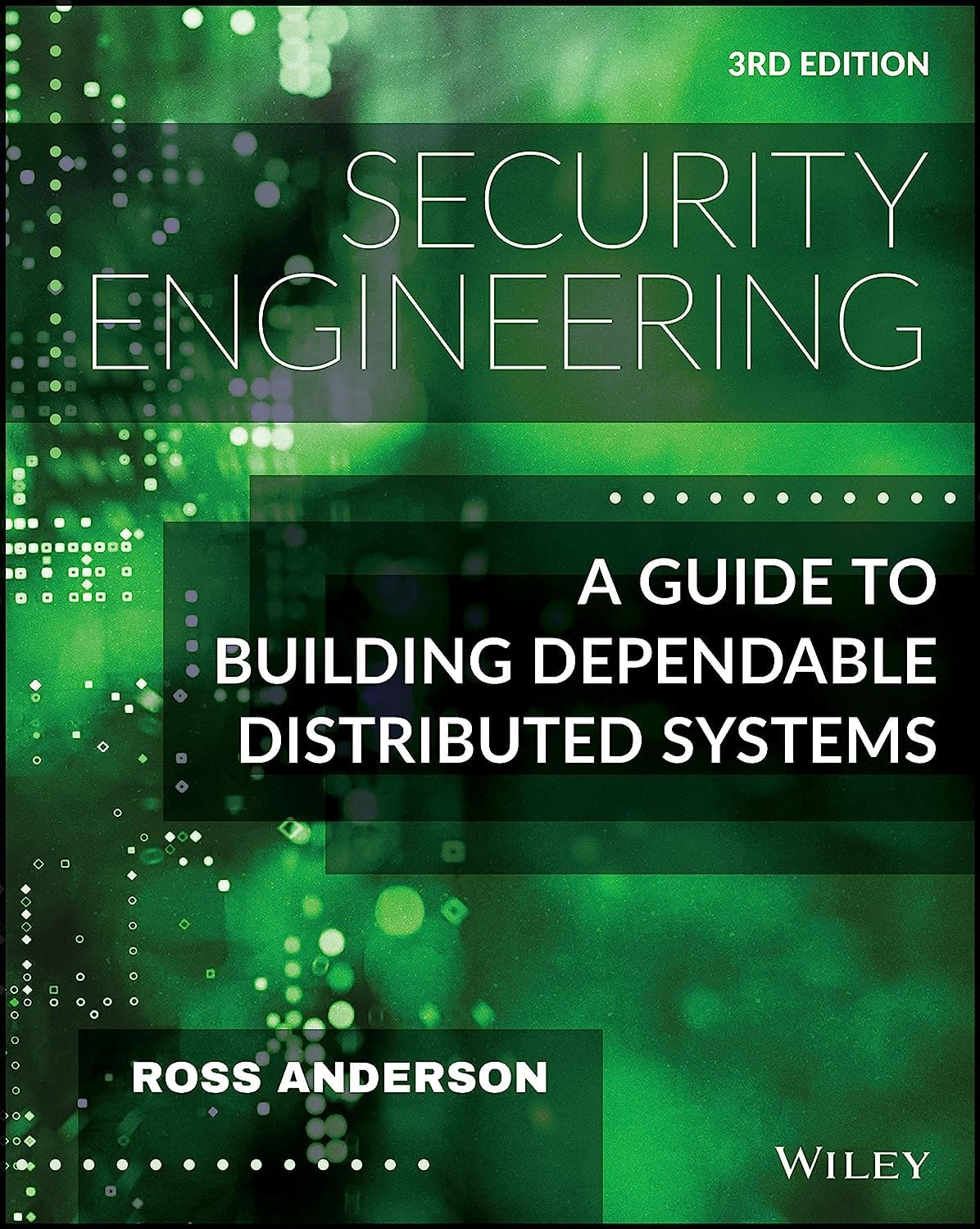
"Security Engineering", Ross Anderson
The most rigorous treatment of how systems fail and how to design against failure — relevant for evaluating any developer's security claims with appropriate skepticism.
The biggest mistake Austin businesses make isn't choosing the wrong WordPress developer — it's not knowing what questions to ask. A developer who can't explain their security or page speed approach in plain English is telling you everything.